1.安装Traefik
helm repo add traefik https://traefik.github.io/charts
helm repo update
helm upgrade --install traefik traefik/traefik --namespace traefik --create-namespace
对于Traefik当中的路由规则,通过IngressRoute进行配置,可以通过如下的命令查看当前K8S集群当中的IngressRoute资源配置。
kubectl get IngressRoute -A
可以使用如下的资源清单,去配置IngressRoute。
apiVersion: traefik.io/v1alpha1
kind: IngressRoute
metadata:
  name: authentik-http  # 路由名称
  namespace: authentik  # 服务所在namespace
spec:
  entryPoints:
  - web    # web代表开放http的80端口进行暴露
  routes:
  - kind: Rule
    match: Host(`ak.xxx.com`)   # 匹配域名, 对于这个域名的请求会自动打到目标服务上
    services:
    - name: authentik-server   # service名称
      port: 80                 # service的端口号, 注意不是targetPort
2.安装Traefik Dashboard
参考官网文档:https://doc.traefik.io/traefik/reference/install-configuration/api-dashboard/。
执行如下的操作:
helm get values traefik -n traefik > values.yaml
使用vim在最后新增如下的配置内容:
# Create an IngressRoute for the dashboard
ingressRoute:
  dashboard:
    enabled: true
    # Custom match rule with host domain
    matchRule: Host(`traefik.example.com`)
    entryPoints: ["web"]
    # Add custom middlewares : authentication and redirection
    middlewares:
      - name: traefik-dashboard-auth

# Create the custom middlewares used by the IngressRoute dashboard (can also be created in another way).
# /!\ Yes, you need to replace "changeme" password with a better one. /!\
extraObjects:
  - apiVersion: v1
    kind: Secret
    metadata:
      name: traefik-dashboard-auth-secret
    type: kubernetes.io/basic-auth
    stringData:
      username: admin
      password: changeme

  - apiVersion: traefik.io/v1alpha1
    kind: Middleware
    metadata:
      name: traefik-dashboard-auth
    spec:
      basicAuth:
        secret: traefik-dashboard-auth-secret
其中password需要修改成为自己需要的密码,matchRule需要修改成自己的域名。
接着,可以使用如下的命令去进行更新traefik。
helm repo add traefik https://traefik.github.io/charts
helm repo update
helm upgrade traefik traefik/traefik -n traefik -f values.yaml
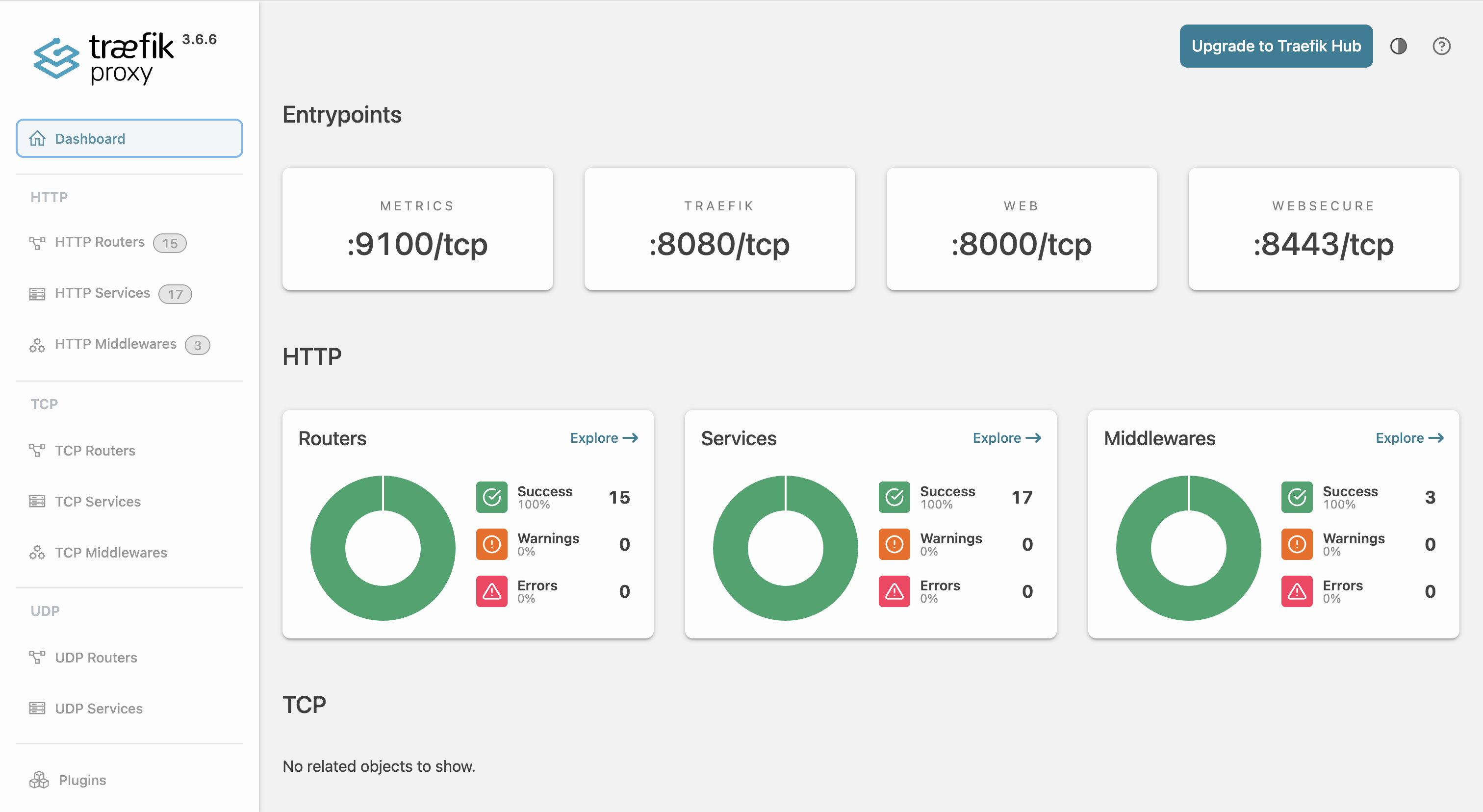
接着,就可以在这个访问traefik.example.com,查看到Traefik相关的端点配置信息。
评论